
Streaming Quality Explained: Resolution, Bitrate, and Why Your Picture Looks Blurry

Key Takeaways
Streaming Quality
Streaming quality describes how clear, sharp, and smooth video looks when you watch it over the internet. It's shaped by two main technical factors: resolution (how many pixels are packed into the image) and bitrate (how much video data is delivered per second). Together, these determine whether you see a crisp picture or a blurry, blocky one.
Bitrate is typically measured in megabits per second (Mbps). Higher bitrates preserve more visual detail but require a faster internet connection to stream without buffering.
What Resolution Actually Means
Resolution is the number of pixels that make up a single video frame, expressed as width × height. A 1080p stream contains 1,920 pixels across and 1,080 pixels tall - roughly two million pixels per frame. A 4K (Ultra HD) stream quadruples that, delivering about 8.3 million pixels per frame.
More pixels means finer detail. Text is sharper, textures look more realistic, and fast-moving scenes stay clearer. But resolution alone doesn't tell the whole story. A 4K image delivered with too little data can still look worse than a well-encoded 1080p image - and that's where bitrate comes in.
Common resolution tiers you'll encounter on streaming platforms:
- 480p (SD): Standard definition, roughly DVD quality. Looks soft on anything larger than a phone screen.
- 720p (HD): Adequate for smaller screens; noticeably less sharp on a large TV.
- 1080p (Full HD): The most widely available quality level; looks excellent on screens up to about 65 inches at normal viewing distances.
- 4K / UHD: Best-in-class sharpness; most visible on screens 55 inches and larger, especially when viewed within 8-10 feet.
How Bitrate Shapes the Picture
Bitrate is the amount of video data your device receives every second, measured in megabits per second (Mbps). Think of it like a water pipe: resolution is the size of the destination tank, and bitrate is how fast the water flows in.
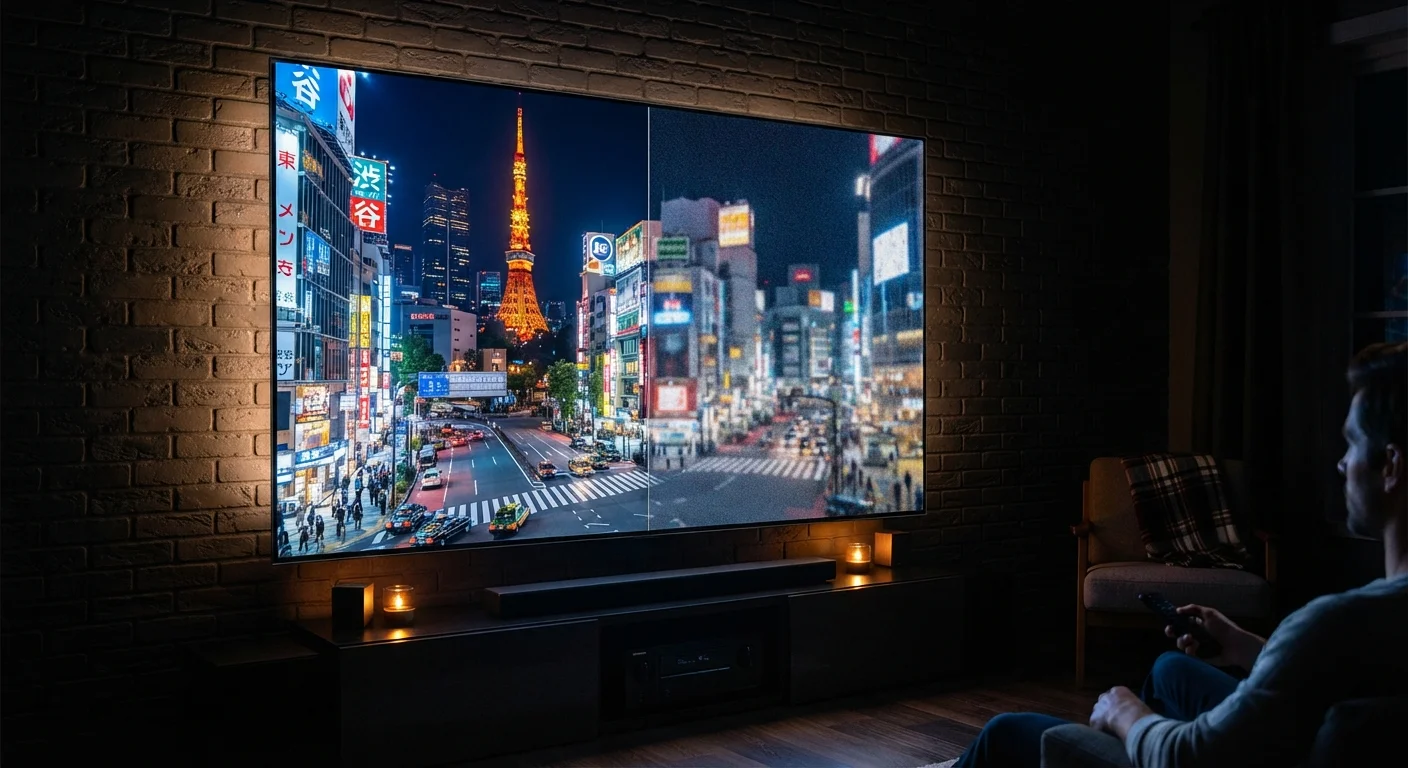
When bitrate is too low for the resolution being streamed, the video encoder has to throw away detail to keep up. The result is visible compression artifacts - blocky patches in dark areas, blurry backgrounds, and smeared motion during action scenes. This is the most common reason a technically "HD" stream still looks muddy.
~5 Mbps
Minimum speed for 1080p streaming
Most major streaming platforms cite approximately 5 Mbps as the recommended minimum for stable Full HD (1080p) playback on a single stream.
15-25 Mbps
Recommended speed for 4K streaming
Platform recommendations for Ultra HD (4K) streaming typically range from 15 Mbps to 25 Mbps, with higher being better when multiple devices share a connection.
4×
More pixels in 4K vs. 1080p
A 4K frame contains roughly 8.3 million pixels compared to about 2 million in a 1080p frame - four times the pixel count, delivering significantly more image detail.
Streaming platforms use adaptive bitrate (ABR) technology, which constantly monitors your connection speed and adjusts quality up or down in real time. That momentary softening you notice when a stream first loads, or right after a scene cut, is ABR recalibrating. It's a deliberate tradeoff: smoother playback with occasional quality dips rather than full stops and buffering.
For a plain-language breakdown of related terms like bandwidth and Mbps, see the Common Computer Terms Decoded guide.
Why Your Picture Looks Blurry - and How to Fix It
Blurry streaming typically traces back to one of three causes:
- Insufficient internet speed. If your connection dips below the minimum required for your chosen resolution, the platform automatically downgrades quality. Run a speed test on the device you use for streaming - not just your router - to see what's actually being delivered.
- Subscription tier limitations. Many services restrict higher resolutions to premium plans. Watching on a base-tier plan may cap you at 1080p or even 720p regardless of your connection speed. Check your plan settings before assuming the problem is technical.
- Wi-Fi congestion or weak signal. A fast internet plan doesn't help if your streaming device is far from the router or competing with a dozen other devices. A wired Ethernet connection, or moving closer to the router, can improve consistency.
Quick Fix: Check Your Streaming Quality Settings
Most streaming apps have a 'Playback Settings' or 'Video Quality' option in the account menu. Setting it to 'Auto' lets the app adjust dynamically, but if your connection is consistently fast, selecting 'High' or 'Ultra HD' manually prevents the app from defaulting to lower quality during brief network fluctuations. Check this setting on each device separately - preferences often don't sync across devices.
One underappreciated factor: the content itself. Older TV shows and films were originally shot or broadcast in lower resolutions. Upscaling them to fill a 4K screen doesn't add detail that wasn't there - it just stretches the original image.
Making Sense of Streaming Costs and Quality Tiers
Streaming quality is increasingly tied to pricing. Ad-supported tiers often serve lower-resolution streams, while 4K access typically requires a premium subscription. Understanding exactly what you're paying for - and whether it matches your screen and viewing habits - is worth a few minutes of attention.
For a deeper look at how streaming subscription pricing is structured, see Why Streaming Subscriptions Feel Like They Never Stop Adding Up.
A few practical questions to guide your decision:
- Is your TV larger than 55 inches? If yes, 4K content is noticeably better.
- Do you typically sit within 8 feet of your screen? Closer viewing distances amplify the benefit of higher resolution.
- Does your home internet plan reliably deliver 25 Mbps or more to your streaming device? If not, paying for 4K access may not yield a visible improvement.
Streaming quality isn't just a technical specification - it's a combination of your hardware, your plan, and your connection working together. Knowing which variable is the weak link is the fastest path to a better picture.