

Key Takeaways
Option A
Android
The flexible, customizable open platform.
Best for: Users who want more control over their device, prefer hardware variety, and like tailoring how their phone looks and behaves.
Option B
iOS
The streamlined, tightly integrated ecosystem.
Best for: Users who value simplicity, tight hardware-software integration, and a consistent experience across Apple devices.
If you want to personalize your phone's layout, widgets, and defaults
Android
Android allows you to change default apps, rearrange the home screen freely, and use third-party launchers - giving you genuine control over how your device looks and works.
If you already use a Mac, iPad, or Apple Watch
iOS
Features like AirDrop, Handoff, and iMessage continuity work seamlessly across Apple devices in ways that cross-platform alternatives simply can't match.
If you rely heavily on Google services like Gmail, Maps, or Drive
Android
Google's own apps integrate more deeply on Android, and the default experience is built around the Google ecosystem from the start.
If software longevity and consistent updates matter to you
iOS
Apple typically supports iPhones with software updates for five to six years, and all compatible devices receive updates at the same time.
If budget and hardware variety are priorities
Android
Android runs on devices across a wide range of price points and form factors, giving you far more choices when selecting hardware.
The Home Screen Experience
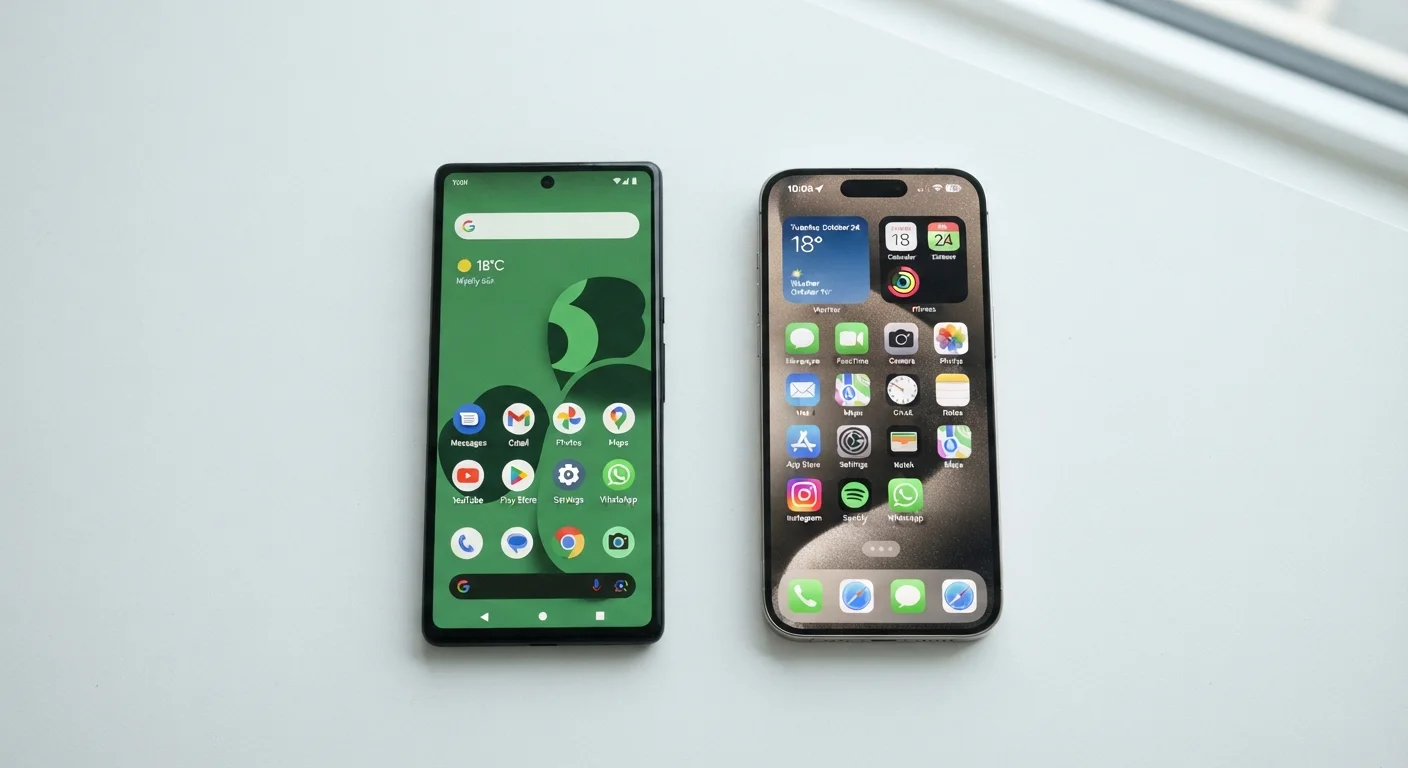
The first thing you notice when switching between platforms is how the home screen behaves. On iOS, every app lives on the home screen in a fixed grid - you can move icons and add widgets, but the structure stays orderly and familiar. On Android, the home screen is more of a blank canvas. You can place shortcuts anywhere, leave empty space intentionally, and even replace the entire launcher with a third-party alternative.
Neither approach is objectively better - it comes down to preference. iOS tends to feel cleaner and more predictable, while Android rewards users who want to spend time dialing in exactly how their phone looks and functions. For most people doing everyday tasks like checking messages or opening an app, both feel fast and responsive.
| Criterion | Android | iOS |
|---|---|---|
| Home screen flexibility | Highly customizable | Structured, consistent grid |
| Default app control | Change any default app | Limited; expanding in recent versions |
| App availability | Nearly identical; some delays | Often gets new apps first |
| Software update delivery | Varies by manufacturer | Simultaneous for all supported devices |
| Privacy controls | Granular, more options | Clear, prominent prompts |
| Ecosystem integration | Strong with Google services | Strong with Apple devices |
| Hardware variety | Wide range of brands and prices | Apple devices only |
| Long-term software support | Varies by manufacturer | Typically 5-6 years |
Apps, Updates, and Availability
The app gap between Android and iOS has narrowed considerably. Most major apps - social media, banking, navigation, streaming - are available on both platforms. Where you'll notice a difference is with smaller or newer apps: developers sometimes release on iOS first, meaning Android users may wait weeks or months for the same version.
Updates also behave differently. On iOS, the App Store pushes updates uniformly. On Android, updates can come through the Play Store or - for core system components - through Google Play Services, sometimes independently of a full OS update. This can feel less transparent but doesn't meaningfully affect daily use for most people.
For readers who rely on mental health or wellness apps specifically, it's worth noting that these tools have their own set of considerations beyond platform - see our look at the trade-offs of using mental wellness apps for a fuller picture.
Privacy, Security, and Permissions
Both platforms take privacy seriously, but they approach it differently. iOS has made privacy a prominent feature - tracking transparency prompts, for example, ask apps explicitly whether they can follow your activity across other apps and websites. Android offers similarly granular controls, often buried slightly deeper in settings menus, but with more options for power users who want fine-grained control over exactly what each app can access.
In practice, both platforms will ask for permission before accessing your camera, microphone, or location. Android tends to offer more nuanced choices - such as allowing location access only while using an app versus all the time - though iOS has adopted similar controls in recent versions.
Whichever platform you use, there are security settings most people never explore. Our guide to mobile security settings most people never touch walks through the controls worth knowing about on both systems.
Permissions Are Worth Reviewing Periodically
On both Android and iOS, apps accumulate permissions over time - often more than they actually need. It's a good habit to open your phone's settings every few months and review which apps have access to your location, microphone, and camera. Both platforms make it easy to revoke access without uninstalling the app. Doing this takes about five minutes and can meaningfully reduce unnecessary data collection.
Ecosystem Lock-In and Switching Costs
One of the most underestimated differences isn't a feature - it's the friction of switching. iOS users who also own a Mac or iPad benefit from seamless continuity: copy something on your phone and paste it on your laptop, take a phone call from your tablet, or use AirDrop to share files instantly. These features work because Apple controls both the hardware and software. Moving to Android means giving most of this up, or relying on workarounds.
Android users moving to iOS face different challenges: iMessage replaces your existing messaging setup, some Google app features behave differently, and years of Android muscle memory takes time to rewire. Neither transition is technically difficult - it's mostly habit adjustment.
Understanding how your phone holds up over time matters too, regardless of platform. Our article on keeping your smartphone running well year after year covers the software and charging habits that actually extend device lifespan. And if you want the full picture on managing your mobile device, the complete guide to smartphones and tablets covers everything from setup to screen time.
Both platforms also include screen time and usage tools that work similarly in concept but differ in presentation - see how screen time features actually work for a breakdown of what the data means.